

I grew up in a big, scattered family, so I learned early that phone bills have a special talent for quietly growing legs and walking away with your money. The funniest part is that plenty of people actually qualify for discounts, but carriers do not exactly shout about them. They sit behind a portal, a verification screen, or a “benefits” page you only see if you know what to search for.
This is my practical, no-mystery way to find corporate, alumni, union, and association discounts and get them applied to your plan without breaking anything else that is already working.

What counts as a “hidden” discount?
Most carrier discounts fall into a few buckets:
- Employer or corporate discounts (sometimes called “employee offers,” “work perks,” or “advantage programs”).
- Alumni and university discounts (graduates, staff, sometimes current students).
- Union or labor organization discounts (including retiree chapters).
- Professional associations (bar associations, nursing groups, IEEE-style orgs, trade groups).
- Member benefit marketplaces (your employer or union may provide a benefits portal that links you to carrier offers).
The “hidden” part is usually one of these:
- The discount is real but only appears after identity verification.
- It applies only to specific plans (often unlimited tiers) or to add-ons, not the base plan.
- It is marketed as a waived activation fee, reduced line access, or device promo eligibility, not a clean percent-off.
Before you start: grab the 3 things they check
You can do a lot faster if you gather this up front:
- Billing account info: account holder name, carrier, current plan name, and how many lines.
- Eligibility proof: work email, union member ID, alumni email, or association membership info.
- Your bill breakdown: base plan charge, per-line charge, add-ons, taxes and fees.
If you have not looked closely at your statement in a while, do a quick pass first. I use the same approach I wrote about in Decode and cut the fees on your cell phone bill, because the “discount” sometimes only applies to one line item and you want to know which one.
Step 1: Check your employer perks
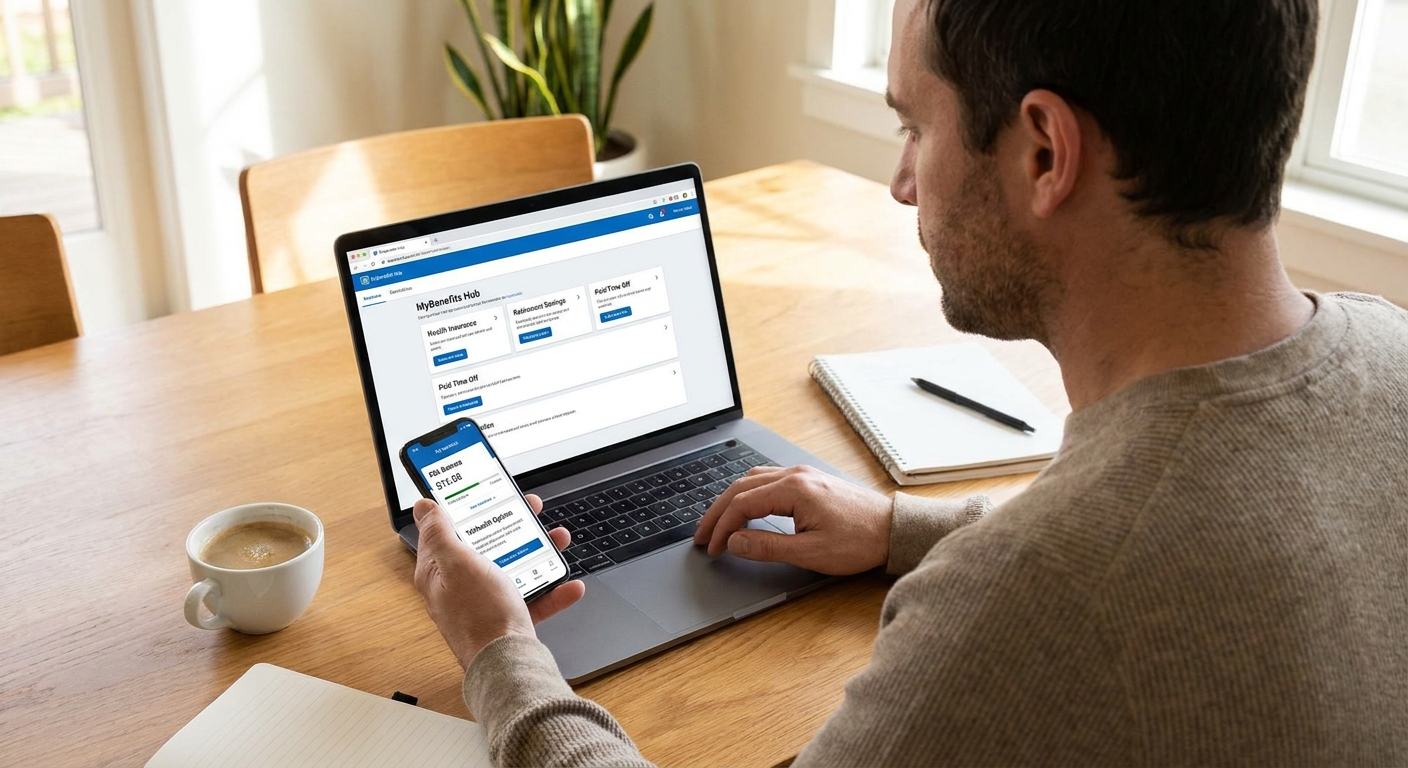
Start where discounts are most likely to be pre-negotiated: your employer’s benefits hub. Common labels these portals use include:
- “Wireless discount”
- “Mobile service discount”
- “Employee purchase program”
- “Perks” or “member discounts”
- “Affinity program”
What to do when you find it:
- Read the fine print for plan restrictions. Some discounts exclude the cheapest plans, prepaid, or already-discounted bundles.
- Check whether it is recurring or one-time. Waived activation and accessory codes are nice, but they do not lower your monthly bill.
- Follow the official verification path (work email or a known verification partner) rather than sending documents to random chat links.
Step 2: Look for alumni discounts
Alumni associations often bundle phone discounts with other member perks, and lots of people never look at those pages again after graduation. Try these routes:
- Your alumni association website: look for “member benefits” or “discounts.”
- Your university IT or campus services page: some schools maintain carrier partnerships for staff and students that also extend to alumni.
- Alumni email address: if you still have access, it is often the cleanest way to verify eligibility.
Two practical notes:
- Some alumni offers are really device promos (extra trade-in value, accessory credits) rather than monthly savings.
- If you lost access to your alumni email, your alumni office can sometimes help restore it, or they may provide a membership number you can use instead.
Step 3: Check unions and associations
Unions and professional associations frequently negotiate “member advantage” deals. These can look like:
- Percentage off eligible plans
- Discounted add-ons (hotspot, tablet line)
- Waived activation or upgrade fees
- Special pricing for accessories
Where people get tripped up is verification. Some carriers may want a union email domain, but many will accept:
- A current digital membership card
- A paid-dues confirmation
- A member ID plus a verification portal
My rule: if the rep cannot tell you exactly what forms of proof are accepted, try again with a different agent or use the secure message or chat option inside the carrier app. You do not want “we’ll note the account” as your plan.
Step 4: Verification partners and privacy
A lot of carriers outsource eligibility checks to verification services. This is normal, but it changes your strategy:
- Use your strongest proof first (work email is usually easiest).
- Some programs require periodic re-verification. Others are one-and-done. Either way, check your bill occasionally so a discount does not quietly drop.
- Confirm whether the discount applies to the whole account or each line. Some programs require the account holder to be the eligible person.
Also, be picky about where you upload documents. Only submit IDs or membership proof through the official carrier account page, the carrier app, or the carrier’s known verification flow. Do not send sensitive documents over SMS, email, or a link a random rep texts you.
If the discount disappears later, you want timestamps and receipts. Take screenshots of the confirmation page and save the discount name as it appears on your account.
Step 5: Add it without breaking promos
This is the part most people miss. A discount that saves $10 a month is not a win if it knocks out a $25 a month device credit.
Do this “promo safety” check
- List current promos: device payment credits, trade-in credits, BYOD credits, bundled discounts, autopay discounts.
- Ask one direct question: “If I add this corporate or member discount, will I lose any existing bill credits or promotional pricing?”
- Get the answer in writing: chat transcript, email confirmation, or order summary screen.
If you are not sure how to read the moving parts on your bill, start with Audit your phone bill before switching. Even if you are not switching carriers, the same audit tells you which items are fragile.
Common incompatibilities
A few gotchas show up again and again:
- Plan-family blocks: some newer unlimited plans do not take traditional employer percentage discounts. Instead, the “discount” might be a perk, a premium-tier price break, or better device promo eligibility.
- Account-holder mismatch: the eligible person often must be the account owner.
- One discount already attached: some accounts already have an affinity or employer code, and the system will not accept a second one.
If support says “eligible” but it will not apply
This is usually fixable. Here is the short troubleshooting list I run:
- Ask which exact plan(s) qualify and compare that to your plan name letter-for-letter.
- Confirm the eligible person is the account holder (not just someone on the plan).
- Ask if an affinity or employer code is already on the account and whether it needs to be replaced.
- Check for pending changes: an open order, a plan change in progress, or a device financing change can temporarily block updates.
- Try a different channel: in-app chat or secure message often gets you a cleaner paper trail than a phone call.
If the only fix is a plan change, ask them to show you the full before-and-after monthly total, including any promos that would fall off.
What these discounts usually apply to
Common wins
- Premium unlimited plan discounts (carriers like to discount higher tiers).
- Accessory and activation perks (one-time savings).
- Extra lines like tablets and watches, especially when paired with an eligible voice line.
Common “nope” zones
- Prepaid plans and many MVNOs. Their pricing typically does not support extra employer or affinity discounts.
- The absolute cheapest postpaid tiers which are sometimes excluded.
- Taxes and fees: taxes and government fees will not be discounted, and carrier-imposed surcharges usually are not either.
If you are on a prepaid or low-cost carrier and want a more structural way to lower costs, I would compare against MVNO options in Best cheap MVNO plans for Wi-Fi texting instead of spending hours chasing a discount that cannot attach.
How to confirm it hit your bill
After you apply a program, check your next full bill cycle. You are looking for a line item that might be labeled:
- “Employer discount”
- “Corporate discount”
- “Affinity discount”
- “Membership discount”
- “Service discount”
Also check the effective date. Some carriers apply it mid-cycle, which can look messy at first with prorations. I only worry if it is missing entirely on the next full month.
If you do not qualify, try these
1) Negotiate using your actual usage
If your lines are mostly on Wi-Fi, you may be overpaying for “unlimited everything.” Start with Negotiate a lower cell phone bill using free apps and come prepared with your real data use.
2) Trim hidden add-ons and subscription charges
Account-level “protection,” add-on bundles, and premium message charges can eat more than a discount saves. If you suspect that is happening, run through Audit your smartphone for hidden communication subscriptions.
3) Use Wi-Fi more and drop plan level
If your household uses messaging apps over Wi-Fi, you can sometimes drop to a cheaper plan tier without losing day-to-day connectivity. For ideas, see Guide: Phone and Bills.
Support script
If talking to support makes you feel like you need a second coffee first, here is a simple script that keeps the conversation tight:
“Hi. I believe I qualify for a corporate, alumni, or union discount. Can you check eligibility for my account and tell me which plan tiers it applies to? Before you add anything, please confirm whether applying it will remove any existing autopay discounts or device bill credits. If it is safe, please add it and tell me what the discount will be called on my bill.”
FAQ
Can I stack a corporate discount with autopay and paperless billing discounts?
Often yes, because autopay discounts are usually a separate program. Still, confirm, because carriers change rules and some plan families have hard limits on stacking.
Does it matter who the account holder is?
Yes. Many discounts require the eligible person to be the account owner. If the bill is in a spouse’s name, you might need to transfer billing responsibility to use your work or union eligibility. Just know that a transfer can sometimes trigger a credit check, plan re-rating, or promo changes, so do the promo safety check first.
Will I have to re-verify later?
Sometimes. It varies by carrier and discount type. If you change employers, lose access to a work email, or your membership lapses, the discount can drop. Set a reminder to re-check your bill every few months.
Is it worth switching plans to get a discount?
Only if the math stays positive after you account for lost promos, higher base plan pricing, and extra fees. When I am unsure, I compare the next 3 to 6 months of total cost, not just the headline discount.