

I grew up in a family that was basically a group chat stretched across time zones. When money was tight, I got weirdly good at one thing: keeping my main number working while finding cheaper ways to stay online. Dual SIM phones and data-only eSIMs are one of the cleanest tricks I have found for lowering your monthly bill without doing the painful “new number” shuffle.
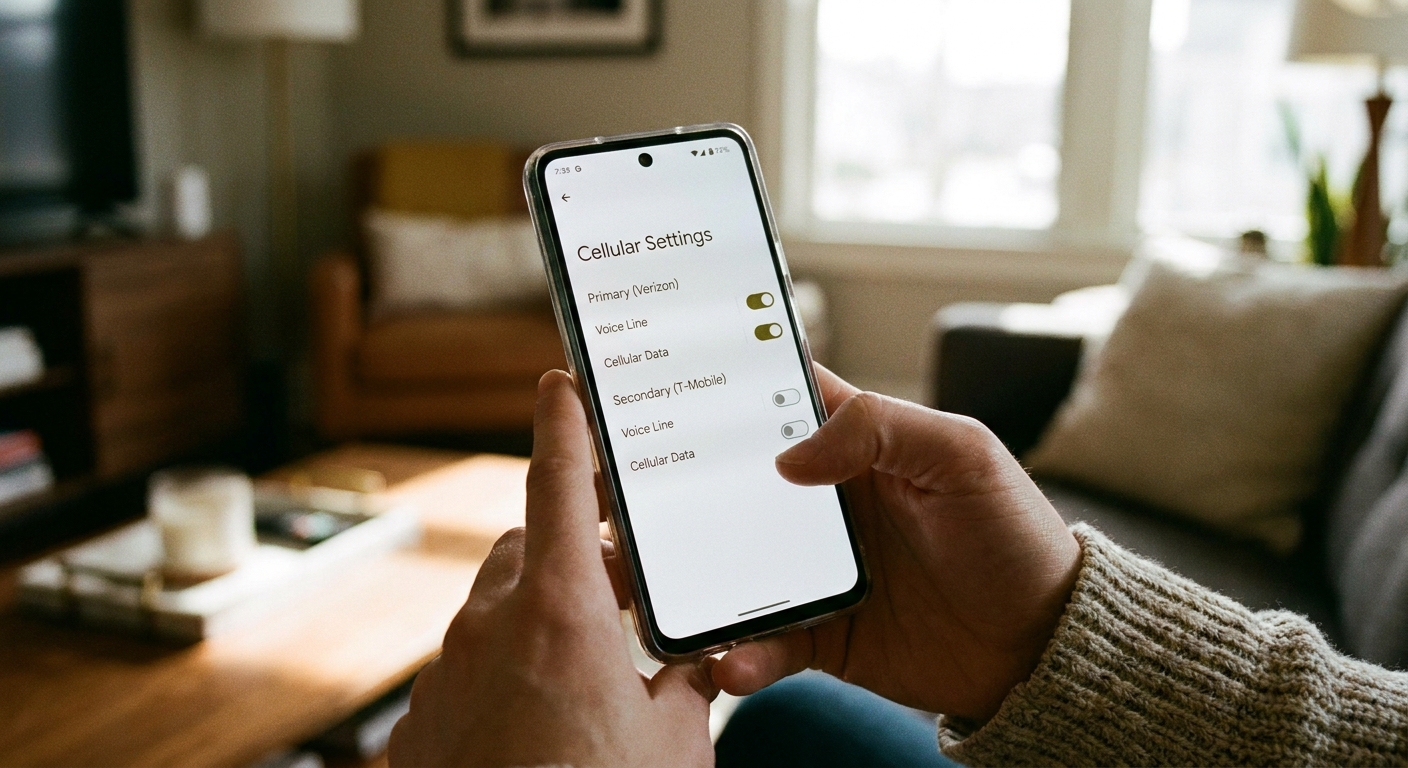
The basic idea is simple: keep your primary number for calls and SMS, then add an ultra-affordable data-only eSIM for everything that eats data like maps, social apps, and messaging apps. If your carrier and phone support it, you may also be able to place calls from your main line using the secondary line’s data connection (similar to Wi-Fi Calling, but over cellular data). If you set it up right, most days you will not even notice you are “split” across two networks, except when you look at your bill.
What this setup is (and why it saves money)
Think of your phone as having two separate connections:
- Your primary line (physical SIM or eSIM): keeps your real phone number active for calls, SMS, and two-factor authentication texts.
- Your data-only eSIM: a second plan that provides cellular data only, sometimes at a much lower cost per GB than the “full service” plan you are currently paying for.
This saves money in a few common scenarios:
- You are overpaying for “unlimited” data but you mostly need dependable data, not premium perks.
- You want to downgrade your main plan to a cheaper voice and text option and offload data elsewhere.
- You travel and want to avoid roaming while still keeping your home number available for SMS or 2FA.
One important reality check: not every “cheap data eSIM” is actually cheap. Some travel eSIMs are priced for convenience, not long-term value. Before you commit, compare your options by doing simple math: total price divided by total GB, then factor in validity windows and top-up pricing.
If you want to sanity-check where your current bill is leaking, I recommend doing a quick pass through Decode and Cut the Fees on Your Cell Phone Bill before you change anything.
Before you buy anything: check these 5 things
1) Your phone must support dual SIM
Most newer iPhones and many Android phones support dual SIM, but the details matter. Some phones allow two active lines at once (DSDS), others are more limited.
- iPhone: depends on model and region. Some use one physical SIM plus eSIM, while some models are eSIM-only. Either way, most support two active lines at a time (model dependent).
- Android: varies widely. Many support one physical SIM plus one eSIM, or two physical SIMs plus an eSIM.
Check your phone’s settings for something like “SIMs” or “Mobile network” where it lists multiple lines, or confirm on your manufacturer’s support page.
2) Your phone needs to be carrier unlocked (or at least eSIM-unlocked)
This is the number one “why won’t it install” problem. If your phone is locked to your current carrier, the lock may prevent activating a second carrier line, even if it lets you add an extra eSIM profile. If you are not sure, ask your carrier if your device is unlocked and eligible for eSIM activation on other networks.
3) Make sure your primary line can handle the job you expect
Decide what you truly need from the primary line:
- If you need SMS for banking and 2FA, keep a plan that includes SMS reliably.
- If you make lots of calls, you will want unlimited talk or enough minutes.
- If you plan to rely on Wi-Fi Calling, make sure your primary carrier supports Wi-Fi Calling on your device. And if you are hoping to use your second line’s cellular data as the transport for calls from your main number, treat that as a bonus feature, not a guarantee. It is carrier and device dependent.
4) Understand the one thing a data-only eSIM cannot do
Data-only eSIMs typically do not come with a phone number that can receive standard SMS. Some providers offer an optional number, but do not assume it. Plan on your primary number being your “official” SMS identity.
5) Check coverage where you actually live and commute
A cheap data eSIM is only a deal if it works where you need it. If your area is spotty, a low-cost plan on a different network can be either a lifesaver or a headache.
The cheapest way to use dual SIM: cheap voice line + cheap data eSIM
This is the money saver most people are really after.
Step 1: Downgrade your main plan to minimal data
Look for a plan that is strong on talk and text and light on data (or even no data). Your goal is to keep your number alive, keep SMS working, and stop paying for expensive “unlimited” data bundles.
If you are comparing low-cost options, start with Best Cheap MVNO Plans for Wi-Fi Texting and Prepaid vs Postpaid: Which Saves More on Texting?.
Step 2: Add a data-only eSIM and set it as your default for cellular data
Once the eSIM is installed, you will choose which line is used for:
- Cellular data: set this to the data-only eSIM.
- Voice calls: set this to your primary number.
- SMS: generally stays with your primary number automatically.
Step 3: Turn on data switching only if you need it
Many phones let you automatically switch data between SIMs if the chosen data line is weak. That can be helpful if your data eSIM is spotty and you can tolerate occasional fallback onto your primary line’s data. Convenience is nice, but it can also cause surprise usage on your primary line if it still has any data allowance.
If your primary plan has zero data or you are trying to keep it pristine, you may prefer to leave switching off and change data lines manually only when needed.
How to set this up on iPhone (quick walkthrough)
Exact menu names vary by iOS version, but the flow is usually:
- Install the eSIM: Settings → Cellular (or Mobile Service) → Add eSIM. Follow your provider’s QR code or in-app steps.
- Name your lines: Label them something like “Main Number” and “Cheap Data” so you do not mix them up later.
- Set defaults: In Cellular, choose Cellular Data → select “Cheap Data.” Set Default Voice Line → select “Main Number.”
- Check iMessage and FaceTime: If you use them, confirm which lines they use under Settings → Messages and Settings → FaceTime.
- Wi-Fi Calling: Turn on Wi-Fi Calling for your main number if supported.
One more iPhone-specific detail: some iPhones can route Wi-Fi Calling style calls for your main line over the other line’s cellular data when data switching is enabled and your carrier supports it. If you never see it work, you are not doing anything wrong. It is not universal.
Tip: for contacts you call often, iPhone can remember which line you used last. That keeps you from accidentally placing calls from the “wrong” line once you are in a routine.
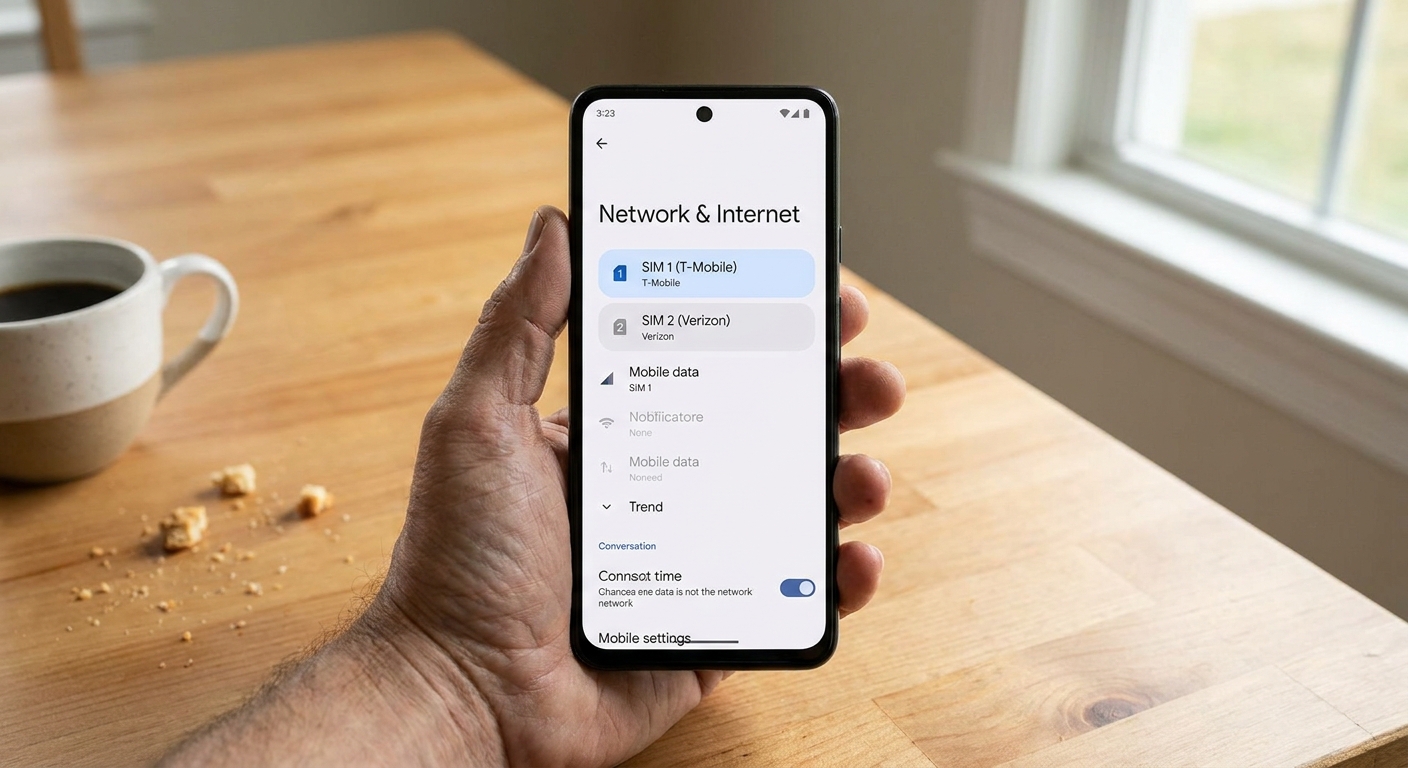
How to set this up on Android (what to look for)
Android menus differ by brand, but you are generally hunting for:
- Settings → Network & Internet (or Connections)
- SIMs (or SIM manager)
- Preferred SIM for Calls, SMS, and Mobile data
Once both lines are active:
- Set Mobile data to your data-only eSIM.
- Set Calls to your primary line (or “Ask every time” if you want control).
- Set SMS to your primary line.
If you see a toggle like “Auto data switching” or “Smart data switch”, treat it like the iPhone version: great for convenience, risky if your primary line has metered data you are trying not to touch.
Also, not every Android skin lets you set a preferred network type per SIM. If you cannot force LTE on just the data eSIM, do not sweat it. It is a nice-to-have, not the core savings.
Keeping texting cheap when your main line is bare-bones
If your goal is to keep your main number for “official” SMS only, you can move everyday conversations to data-based messaging, especially when you are on the data eSIM.
- For international chats, see Send Free International Texts Without Carrier Fees.
- If you want to understand why certain messages still trigger charges on some plans, read Why Group Chats and Picture Messages Cost Extra on Basic Plans.
This is also where Wi-Fi texting habits matter. A few small tweaks can prevent accidental carrier texts or random data drains. I keep a running checklist in my head that looks a lot like 7 Communication Habits That Quietly Cost You Money.
Common gotchas (that can kill the savings)
Your primary line may still use data in the background
Even if you set the data-only eSIM as default, some carrier services and system features may try to use the primary line’s data if switching is enabled. If your primary plan has a tiny data bucket, disable switching and keep an eye on any “cellular data” usage for that line.
MMS and RCS can trip you up
This is the surprise charge that gets a lot of people. Picture messages, group messages, and some RCS features may rely on carrier data and carrier settings on your primary line, even if you are using the data eSIM for most internet traffic. If your main plan has limited data or charges extra for MMS, you can still get nicked.
If you are trying to run your main line super lean, it is worth reading Why Group Chats and Picture Messages Cost Extra on Basic Plans before you assume “texting is free.”
Some banks hate VoIP numbers, but your real number is fine
One reason I like this dual SIM approach is that you keep your real number for 2FA texts. If you ever consider moving SMS to a VoIP number, be cautious. Many services treat VoIP differently. If you want that route anyway, I cover the tradeoffs in Free Second Phone Number for Texting and Verification.
Battery life can dip slightly
Battery impact varies. Many dual SIM phones idle efficiently, but weak coverage and frequent switching can increase drain because the phone keeps hunting for signal. If you notice it, the fix is usually boring: disable the line you do not need during work hours, or switch the data eSIM to LTE instead of 5G if your phone allows it.
Hotspot and tethering may be blocked on some eSIM plans
Some cheap data plans do not allow hotspot usage, or they throttle it hard. If you rely on hotspot, confirm before buying.
Watch for expiration dates on travel eSIMs
A lot of “cheap data eSIM” deals are actually travel style plans with short validity windows. That can still be a great fit, but only if the timing matches your life. If you are counting on month-to-month savings, double-check how long the data lasts, how renewals work, and whether the per-GB price jumps on top-ups.
A simple “best fit” checklist
- Choose this setup if: you want to keep your number, you can use dual SIM, and your biggest monthly cost is data.
- Skip this setup if: your phone is locked, you live in a low-coverage area where only one carrier works, or you need a single plan with guaranteed hotspot and consistently high-priority data.
One more expectation-setter: cheap data can be deprioritized or throttled sooner than premium plans, especially in crowded areas. That does not always matter for messaging and maps, but it can show up in video calls and streaming.
If you are on the fence, do a quick audit first. I like starting with Audit Your Phone Bill Before Switching so you know exactly what you are paying for now and what you can safely cut.
FAQ
Will I still receive SMS texts to my main number?
Yes. SMS delivery is tied to your primary line, not your data-only eSIM. As long as your primary SIM is active with SMS service, you will receive texts like normal.
Can I use iMessage, WhatsApp, or Signal on the data-only eSIM?
Yes. Those apps primarily need data. Just be mindful of which phone number you registered with each service. Many apps let you keep your main number as your identity even while data comes from the secondary eSIM.
What happens if I run out of data on the eSIM?
Your phone will either stop having cellular data, or it will switch to your primary line’s data if you have data switching enabled and your primary line has data available. If you want to prevent accidental charges, keep switching off and top up the data eSIM when needed.
Is this the same as using Wi-Fi only?
Not quite. Wi-Fi only is great at home, but a cheap data-only eSIM gives you predictable connectivity everywhere you have coverage. If you are turning an old device into a Wi-Fi messenger, see Turn an Old Phone Into a Wi-Fi Messaging Device.